[SYSTEM_STATUS] Module: [NEURAL_VAULT_SYSTEM] Asset: $MND Function: Secure, Bridge, or Stake
1. System Overview
The [NEURAL_VAULT_SYSTEM] is the secure financial core of your terminal. It is explicitly designed to secure your extracted $MND rewards, allowing you to either bridge them directly on-chain to the Solana Mainnet or lock them in smart contracts to accelerate your yield.
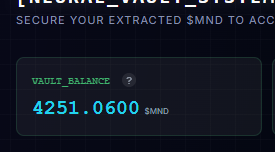
The dashboard provides real-time tracking of your VAULT_BALANCE, TOTAL_STAKED, and ACCRUED_INTEREST.
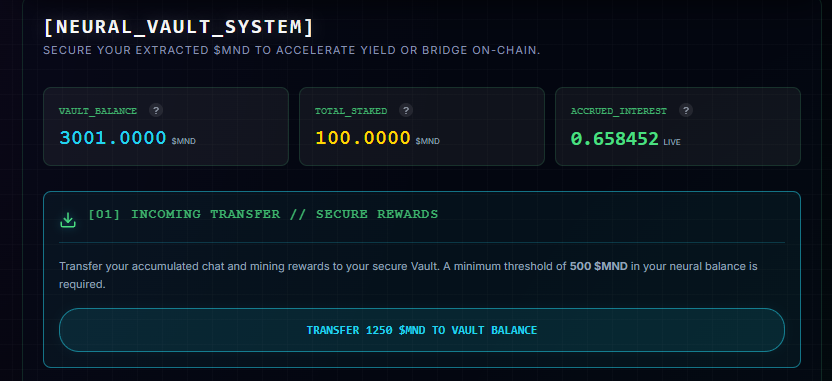
When the button lights up TRANSFER xxx $MND TO BALANCE, hit the button to tranfer it to your vault balance
2. Activation & Incoming Transfers
Before you can interact with the Vault, you must prove your focus and accumulate sufficient rewards in the active terminal.
- The 500 $MND Threshold: You must accumulate a minimum of 500 $MND in your neural balance (earned via active chat sessions and cognitive mining).
- Vault Access: Once this threshold is met, the "VAULT UNLOCKED" button will illuminate within your chatcore section. Clicking this allows you to execute an incoming transfer, moving your accumulated rewards into the secure Vault environment.

3. Vault Operations
Once your $MND is successfully secured inside the Vault, you have full control over your assets. You can execute three primary operations:
A. Accumulate & Hold
You can simply leave your $MND safely in the Vault while you continue to mine and transfer more rewards. Building a larger balance prepares you for higher-tier staking or larger on-chain bridges.
B. On-Chain Withdrawal
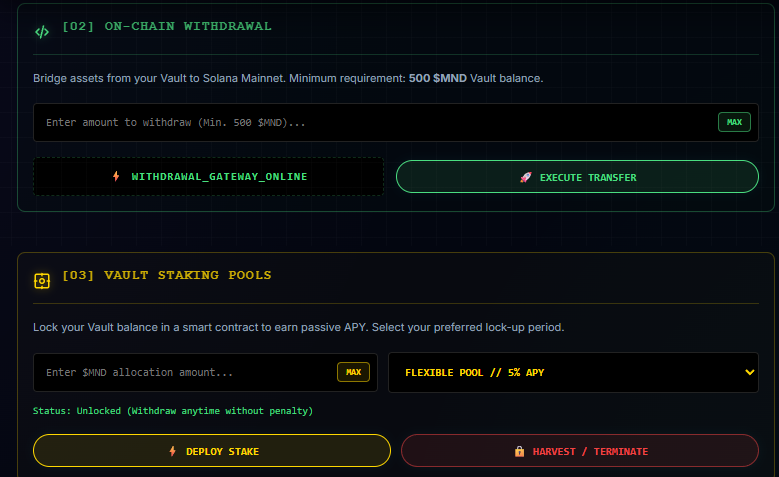
Bridge your assets from the internal Vault directly to your connected Web3 wallet on the Solana Mainnet.
- Requirement: A minimum Vault balance of 500 $MND is required to execute a secure transfer to the blockchain.
C. Vault Staking Pools
Deploy your Vault balance into a smart contract to earn passive APY.
- Flexible & Locked Pools: Select your preferred lock-up period via the terminal dropdown. For example, the Flexible Pool yields a baseline APY (e.g., 5%) while remaining entirely unlocked, allowing you to withdraw anytime without penalty.
- Deploy & Harvest: Use the
DEPLOY STAKEcommand to initiate the smart contract, and theHARVEST / TERMINATEcommand to claim your accrued interest or end the active staking period.
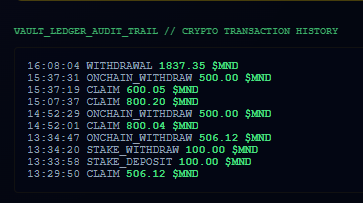
4. Ledger Audit Trail
Total transparency is maintained via the built-in crypto transaction history. Every incoming transfer, on-chain withdrawal, and staking deployment is permanently logged in the Vault Ledger for your personal audit.